Filament Alone Is Incomplete
Many makers only price by grams used, which underestimates final cost.
Know the true print cost before you quote
Calculate true 3D print cost with filament, electricity, multi-material support, manual batch costing, and single-print G-code import.
Free is built for real day-to-day costing. Premium is for faster workflows, business pricing controls, exports, and stock tracking.


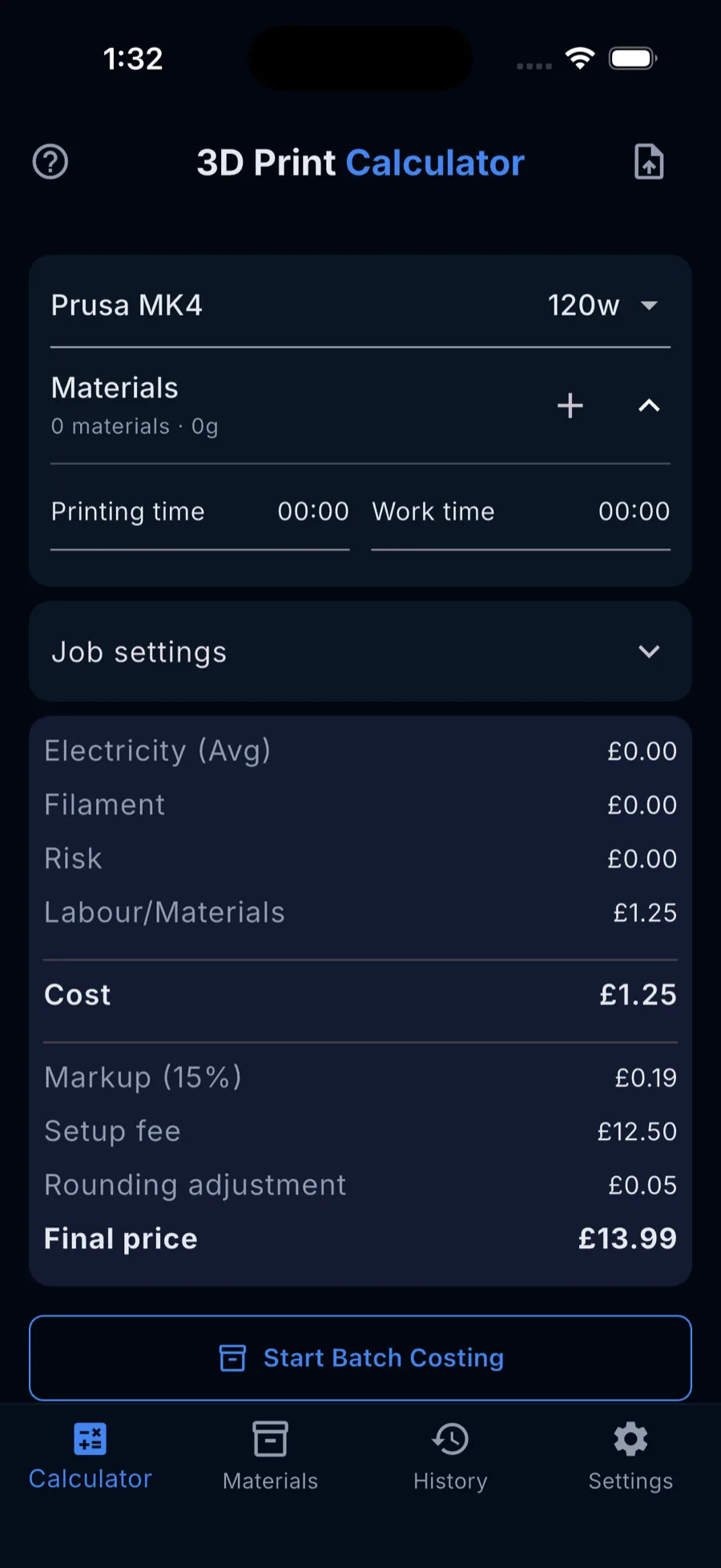
Filament-only math misses true print cost. Real prints depend on more than grams used.
Many makers only price by grams used, which underestimates final cost.
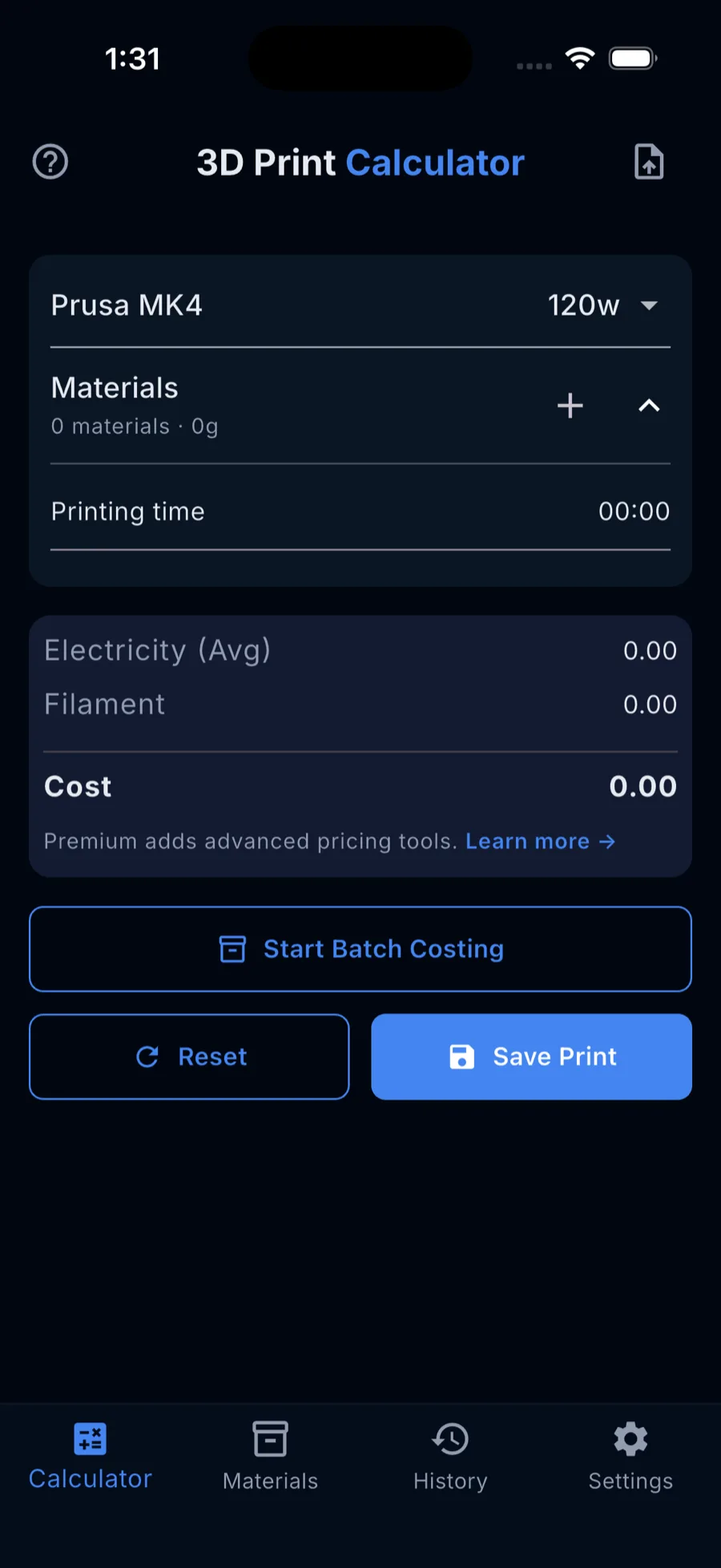
Power draw varies by machine and print length, and can materially change total cost.
Mixed-material prints need more than one filament input to stay accurate.
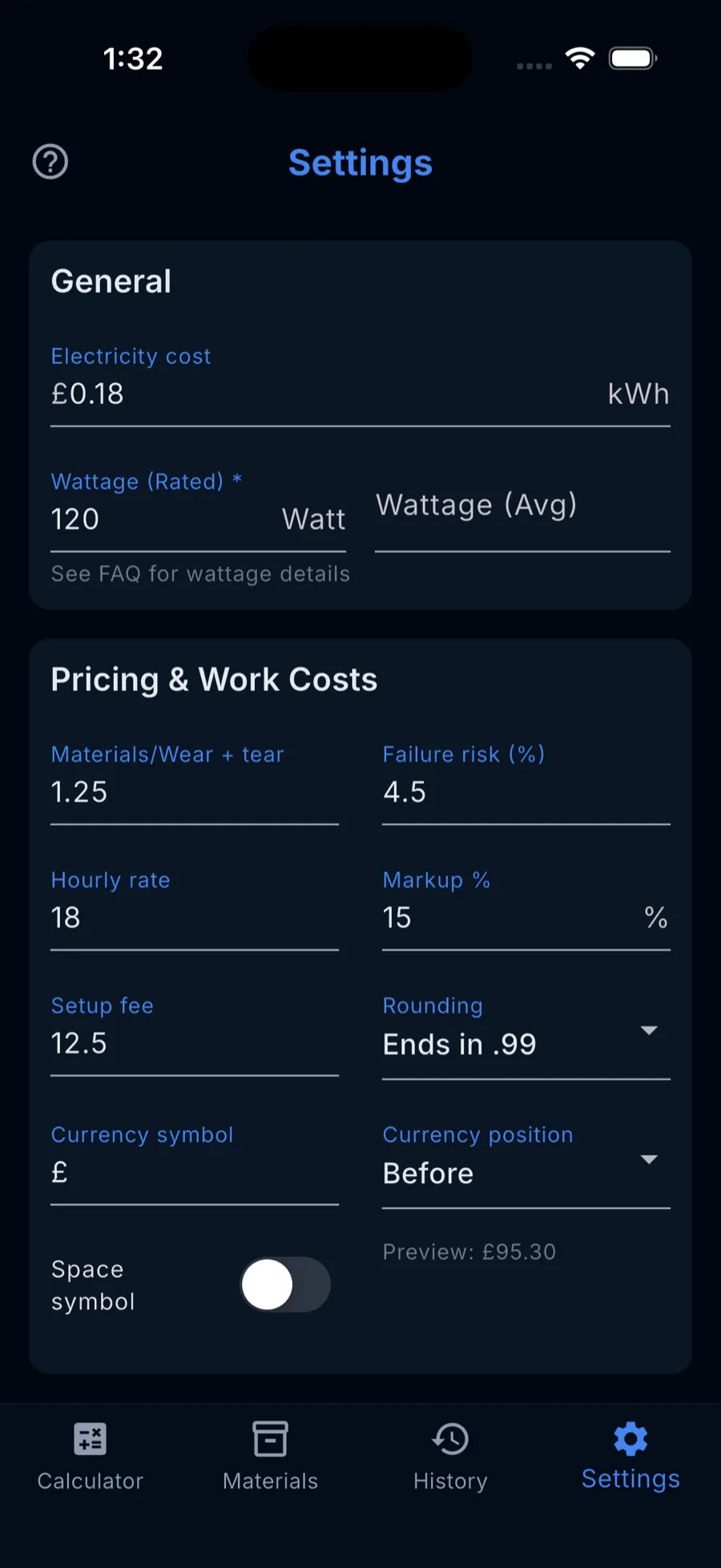
Labour, failure risk, markup, and setup fees matter when you need business pricing.
Start with accurate print cost in Free, then move to Premium when you need faster batch workflows, business pricing controls, exports, and stock tracking.
Core print costing and electricity costing are included in Free and Premium.
Included in Free and Premium. Free supports saved materials plus up to 1 Unsaved Material per calculation.
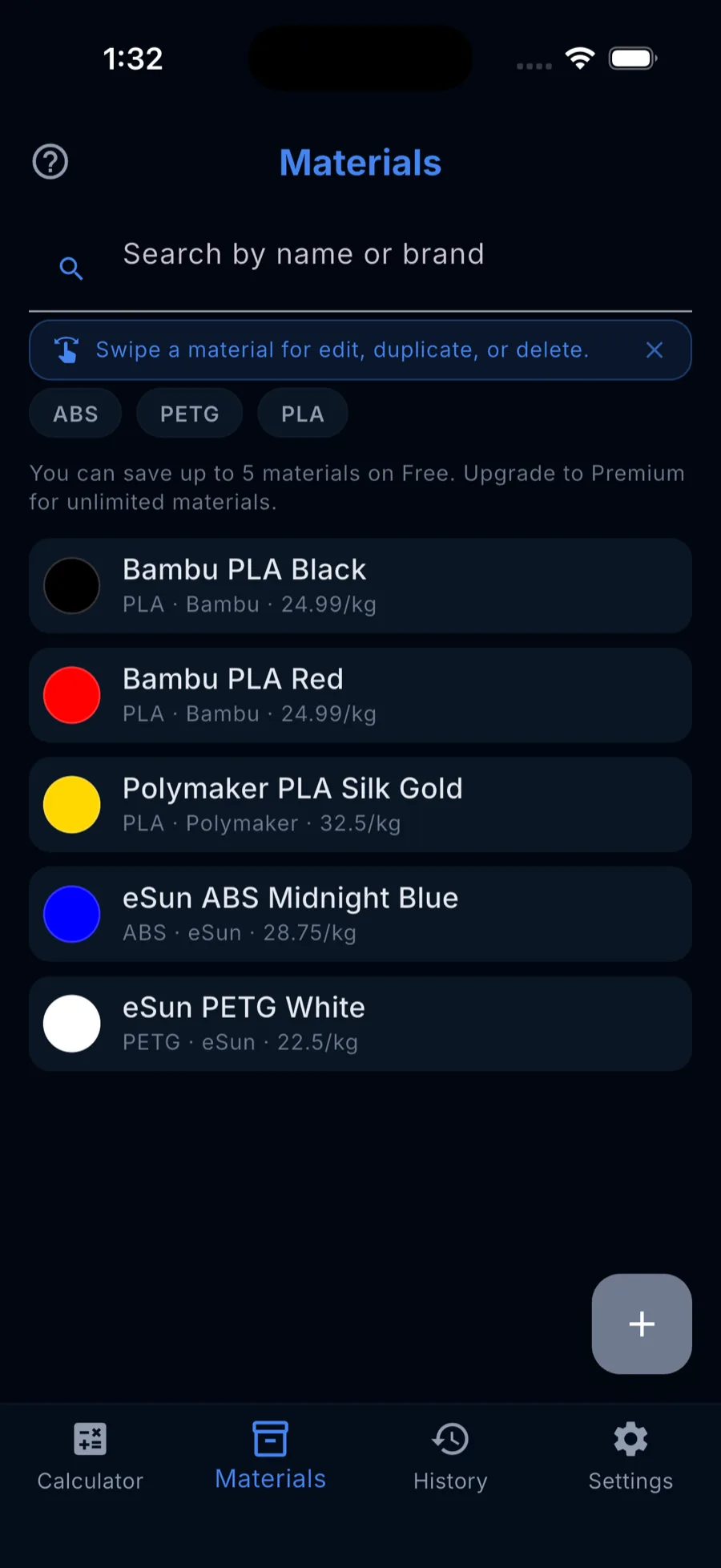
Free includes up to 5 saved materials. Premium removes the cap.
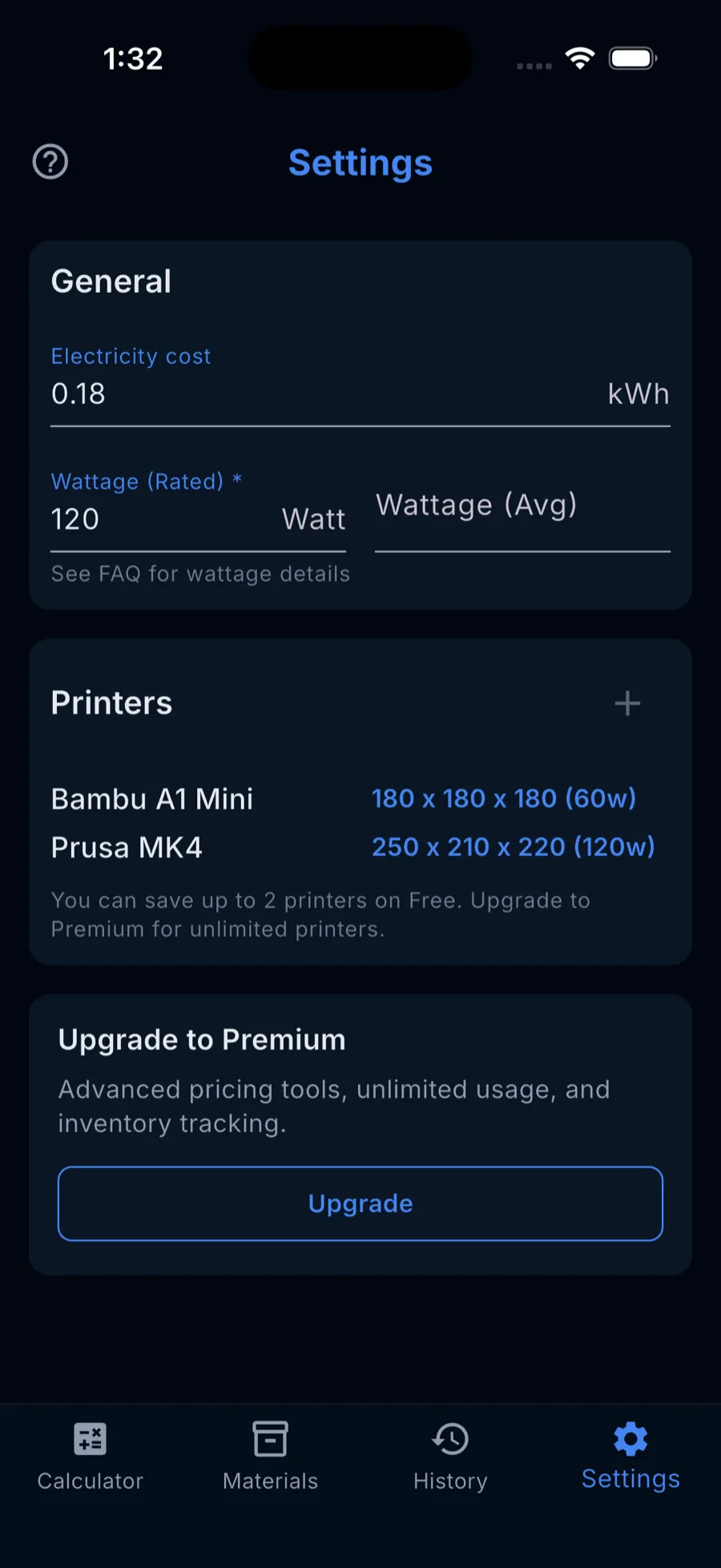
Free includes up to 2 printer profiles. Premium includes unlimited printer profiles.
Free includes up to 7 history entries with real access to that list. Premium includes unlimited history.
Included in Free and Premium for supported files.
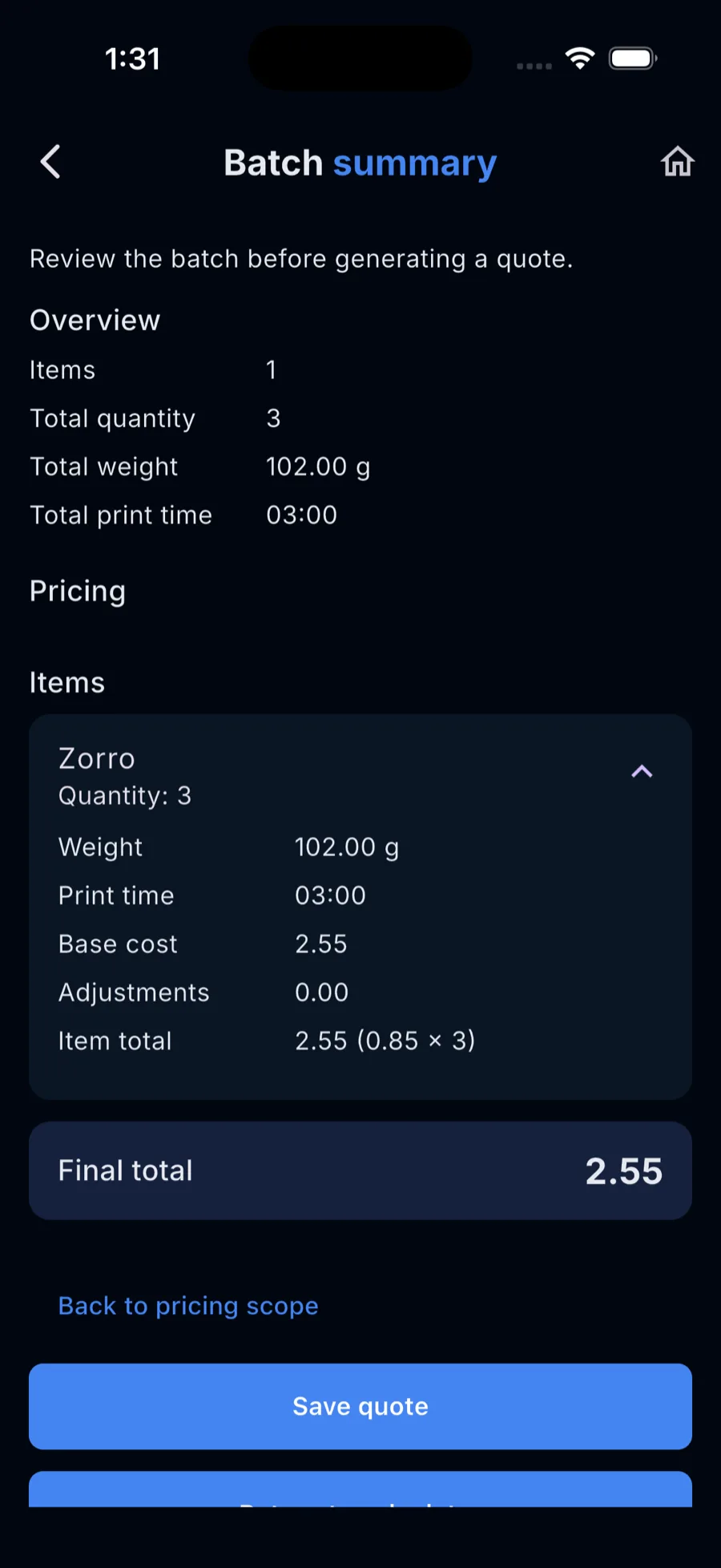
Free includes manual batch costing for up to 3 items per batch. Premium adds unlimited batch costing and batch G-code import.
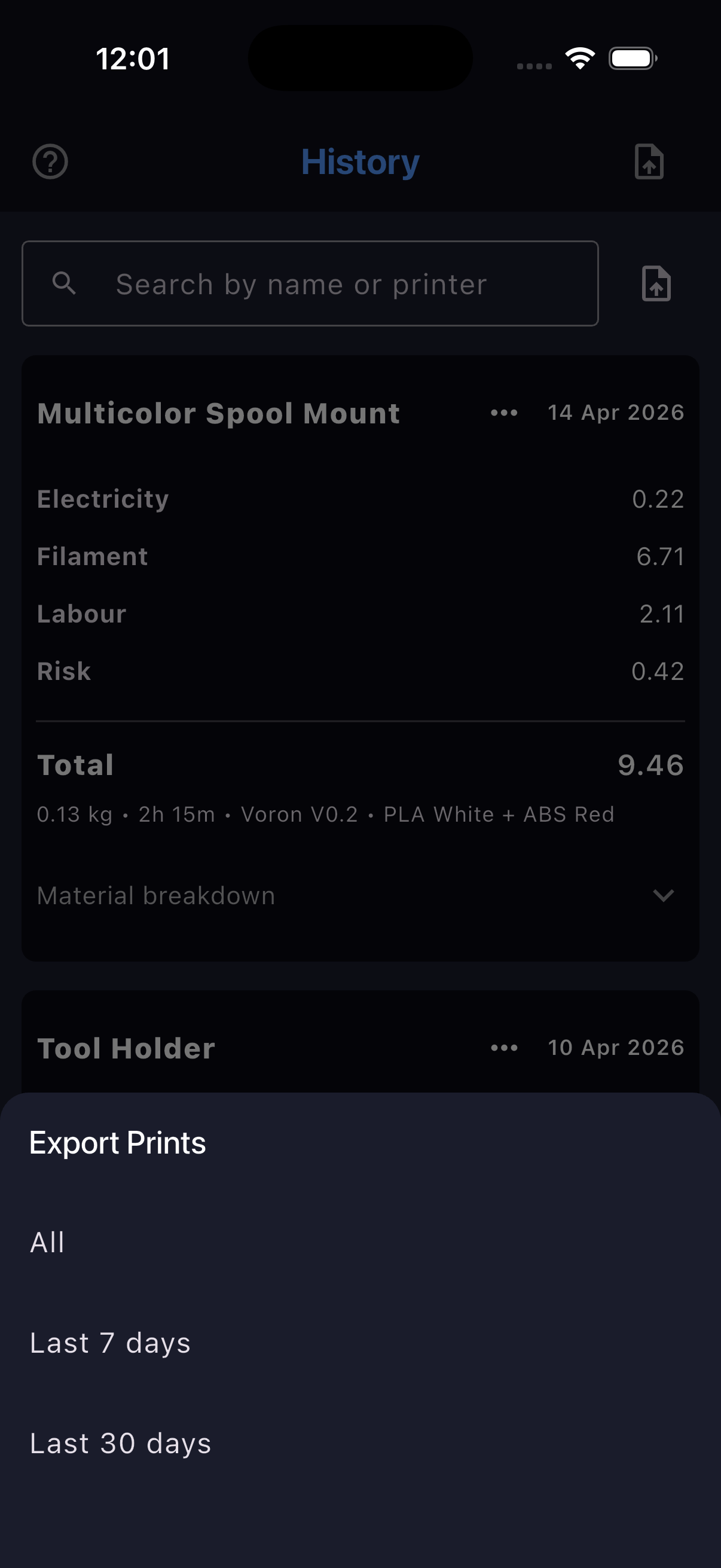
Single-job export is included in Free and Premium. Premium adds bulk/full history export, batch quote export, and remaining filament / stock tracking.
Your data stays yours.
Useful for hobbyists tracking real print cost, and for sellers who need faster workflows and pricing controls at scale.
No. The app is offline-first with no account required and no cloud dependency.
Yes. Free includes up to 2 printer profiles. Premium removes that cap.
Yes. Single-job export is included in Free and Premium. Premium also includes bulk/full history export and batch quote export.
Yes. JSON backup and restore are available in Free and Premium, so you can keep a portable copy of your setup without a cloud account.
Free includes up to 5 saved materials. You can still cost a print with up to 1 Unsaved Material per calculation, so the saved-material cap does not block calculator use.
Free includes manual batch costing for up to 3 items per batch. Premium adds unlimited batch costing and batch G-code import.
Rated wattage is the maximum your printer can draw from the wall (printed on the nameplate). Average wattage is its typical power during a print, ideally measured with a plug-in meter. Use Average for accurate electricity cost, or Rated as a safe upper bound.
Long prints and high-wattage printers can significantly impact cost. Ignoring this leads to underpricing.
No. Data stays on your device and the app does not depend on cloud storage for core use.
Your existing saved materials, printer profiles, and history entries remain intact, viewable, and editable. New creates or imports beyond the Free caps are blocked.
Use Free for real print costing. Move to Premium for faster batch workflows, exports, business pricing controls, and stock tracking.